
Why your CPAP battery is draining too fast
You packed your portable battery, set up your CPAP, and fell asleep expecting a full night of therapy. Four hours later, silence. The battery died, your mask stopped delivering air, and you woke up groggy and frustrated.
This is one of the most common complaints among CPAP users who travel or camp with battery backup. The good news: in most cases, the battery itself is not the problem. The problem is how much power your setup is pulling from it.
A CPAP machine without a heated humidifier draws roughly 25 to 30 watts on AC power, or about 15 to 20 watts when connected via a DC cable. That is a manageable load. A 150Wh battery at 20W draw gives you around 7 hours of runtime, which covers a full night for most people.
But add a heated humidifier and a heated tube, and power consumption jumps to 50 to 80 watts. At 80W draw, that same 150Wh battery lasts under 2 hours. The math stops working fast.
The seven fixes below target the specific factors that drain your battery faster than expected. Each one reduces watt draw, extends runtime, or both. Stack several of them together and you can often double or triple your battery life without changing your battery at all.
Fix 1 — Turn off or lower the heated humidifier
This is the single biggest fix. The heated humidifier is responsible for the majority of excess power draw on every major CPAP platform, including the ResMed AirSense 10, AirSense 11, and the Philips DreamStation 2.
A humidifier heating water to its default setting can add 30 to 50 watts to your total power consumption. On an AirSense 11 with humidity set to 6 and the heated tube at its default, total draw can exceed 70W. Drop the humidifier to level 1 or 2, and you cut that by roughly half. Turn it off entirely, and you are back down to the 15 to 30W range depending on your connection method.
The tradeoff is comfort. Without humidification, you may experience dry mouth or nasal irritation. A few workarounds help: use a full-face mask with a chin strap to reduce mouth breathing, apply a saline nasal spray before bed, or place a damp cloth near your sleeping area.
If you want to understand the exact impact of each humidity setting on battery life, read our detailed breakdown at How Much Does a CPAP Humidifier Drain Your Battery?. It includes measured runtime comparisons across multiple machines and battery sizes.
For most people, this single change adds 3 to 5 hours of battery runtime on a 150Wh battery. On a larger 240Wh or 500Wh unit, the difference is even more dramatic.
Fix 2 — Switch to a DC cable
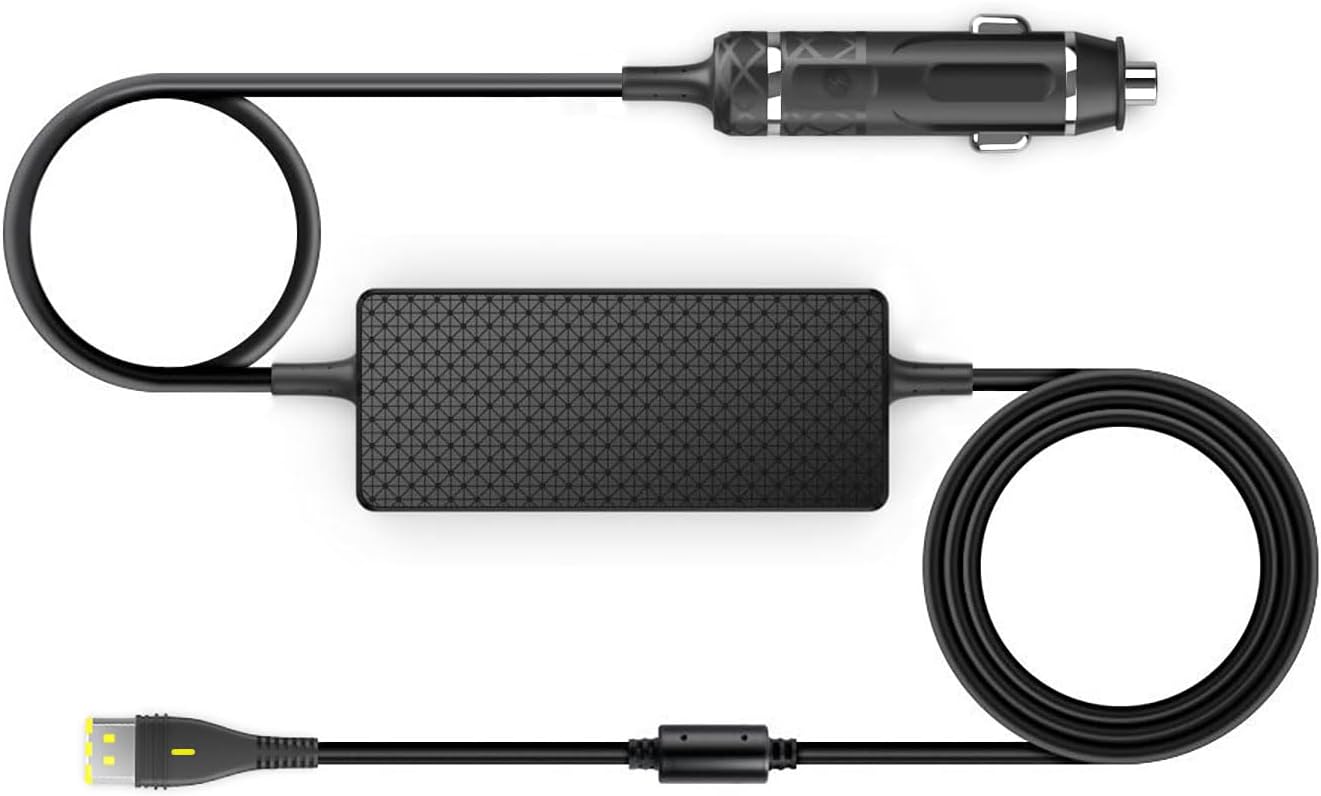
When you plug your CPAP into a battery using the standard AC power brick, the battery's internal inverter converts DC power from its lithium cells into AC power. Then your CPAP's power supply converts it back to DC. Each conversion step wastes energy as heat. The round-trip efficiency loss is typically 15 to 30 percent.
A DC cable bypasses both conversions. It connects your CPAP directly to the battery's DC output port, usually a 12V or 24V barrel connector. The ResMed AirSense 10 and AirSense 11 both support 24V DC input. The ResMed AirMini uses a 20V USB-C connection on some third-party cables. The DreamStation 2 uses a 12V DC input. The 3B Luna G3 also accepts 12V DC.
The practical result: a machine drawing 25W on AC might draw only 18W on DC. On a 99Wh battery (the maximum you can take on a commercial flight), that difference translates to roughly 1.5 extra hours of runtime. On a 240Wh battery, you could gain 3 or more hours.
Not every cable works with every battery and CPAP combination. Voltage mismatches can damage your machine. Our CPAP DC Power Adapter Guide covers exactly which cables, connectors, and voltage specs to look for based on your specific machine model.
If you only make two changes from this list, make it this one and Fix 1. Together, turning off the humidifier and switching to DC can cut your power draw from 70W down to 15W, a reduction of nearly 80 percent.
Fix 3 — Lower heated tube temperature
The heated tube is a separate heating element from the humidifier, and many users overlook it. On the ResMed AirSense 10 and 11, the ClimateLineAir heated tube draws an additional 20 to 30 watts at higher temperature settings. The DreamStation 2's heated tube has a similar impact.
If you have already turned off the humidifier, the heated tube should be disabled as well since it serves no purpose without moisture to warm. But if you want to keep some humidification for comfort, lowering the heated tube from its default setting (often 27 degrees Celsius) down to 21 or 22 degrees can cut its power draw by roughly half.
On a 150Wh battery, reducing heated tube temperature from 27 to 22 degrees Celsius can add 1 to 2 hours of runtime depending on your other settings. It is a smaller gain than the humidifier fix, but every watt matters when you are trying to stretch a battery through a full 7 or 8 hour sleep.
Some users find that running the humidifier at a low setting (level 2 or 3) with the heated tube at its minimum gives them acceptable comfort while keeping total draw in the 30 to 40W range. That is a workable middle ground between maximum comfort and maximum battery life.
Fix 4 — Check your pressure settings
Higher CPAP pressure requires the blower motor to work harder, which increases power consumption. However, the impact is more modest than many people expect.
On an AirSense 11, increasing pressure from 6 cmH2O to 15 cmH2O adds roughly 5 to 10 watts of draw. At the extremes, a machine running at 4 cmH2O might pull 12W on DC, while one running at 20 cmH2O could pull 22W. The motor is efficient across a wide range, so pressure adjustments alone will not transform your battery life.
That said, if you are on Auto-CPAP (APAP) with a wide pressure range, such as 5 to 20 cmH2O, the machine may spike to high pressures during events and draw more power during those periods. Reviewing your data in OSCAR or the myAir app to see your actual 90th and 95th percentile pressures can tell you whether your range could be narrowed.
Do not change your prescribed pressure without consulting your sleep physician. But if your doctor has given you a range or your data shows your machine rarely exceeds 12 cmH2O, narrowing the auto range from 5-20 to 5-13 can reduce those high-draw spikes. The savings might be 1 to 3 watts on average, which translates to 15 to 30 minutes of extra runtime on a typical battery. Modest, but it stacks with other fixes.
For users on fixed pressure who are already dialed in, there is nothing to change here. Focus on the other six fixes instead.
Fix 5 — Use EPR or flex settings wisely
Expiratory Pressure Relief (EPR on ResMed machines, Flex on Philips DreamStation models) reduces pressure during exhalation to make breathing feel more natural. It is a comfort feature, and most users who have it enabled prefer to keep it.
Here is what matters for battery life: EPR and Flex settings cause the motor to modulate pressure more actively throughout each breath cycle. Instead of maintaining a steady state, the blower ramps down on exhale and back up on inhale. This dynamic adjustment can increase average power draw by 1 to 3 watts compared to the same pressure with EPR turned off.
On its own, 1 to 3 watts is a small difference. Over an 8-hour night on a 99Wh battery, that translates to roughly 15 to 30 minutes of lost runtime. Not a dealbreaker, but not nothing either.
If you are running tight on battery capacity and have already applied fixes 1 through 4, consider reducing EPR from 3 to 1 or turning it off for nights when you are on battery power. EPR 1 provides a small amount of relief with minimal extra power draw. EPR 3 has the highest impact on both comfort and consumption.
Again, do not sacrifice therapy effectiveness for battery life. If EPR at 3 is what keeps your AHI low and your sleep restful, keep it. But if you have never experimented with lower settings, a night on battery is a good time to try EPR 1 and see how it feels.
Fix 6 — Reduce mask leak
This is the fix most people overlook, and it can make a surprisingly large difference.
When your mask leaks air, your CPAP detects the pressure drop and ramps up the motor to compensate. A small leak might cause the machine to work 5 to 10 percent harder. A large leak, especially the kind caused by a poorly fitted mask or sleeping with your mouth open on a nasal mask, can push the motor to its maximum output for extended periods.
The result is sustained high power draw, potentially 10 to 15 watts above normal, for as long as the leak persists. If you toss and turn and your mask shifts multiple times per night, those high-draw periods add up. On a 150Wh battery, chronic leak could cost you 1 to 3 hours of runtime.
How to fix it:
- Check mask fit before sleep. Run your machine's mask fit test (available on AirSense 10, AirSense 11, and DreamStation 2). Adjust straps until the seal is clean.
- Replace worn cushions. Silicone mask cushions degrade over time. If yours is more than 3 months old, the seal may be compromised even if it looks fine.
- Consider mask type. If you are a side sleeper with a full-face mask, leak is almost inevitable when you shift positions. A nasal pillow mask like the AirFit P30i or DreamWear nasal has a lower profile and stays sealed better during movement.
- Use a chin strap with nasal masks. Mouth leak on a nasal mask is one of the most common sources of high leak rates. A simple chin strap can eliminate it.
Check your leak data in your CPAP's app or OSCAR software. If your 95th percentile leak rate is above 24 liters per minute on a ResMed or above the "acceptable" threshold on a Philips machine, you have a problem worth solving, for both battery life and therapy quality.
Fix 7 — Upgrade to a higher capacity battery

If you have applied fixes 1 through 6 and your battery still does not last the night, the battery might genuinely be too small for your needs.
Here is a quick reference for expected runtime at different battery capacities, assuming a DC connection with no humidifier (approximately 18W average draw):
- 99Wh (airline-compliant): approximately 5 to 5.5 hours
- 150Wh: approximately 8 to 8.5 hours
- 240Wh: approximately 13 hours
- 500Wh+: approximately 27 hours or multiple nights
If you need humidification, those numbers drop significantly. At 50W average draw with a low humidifier setting and DC cable:
- 99Wh: under 2 hours
- 150Wh: approximately 3 hours
- 240Wh: approximately 4.5 to 5 hours
- 500Wh+: approximately 10 hours
The 99Wh limit matters if you fly frequently. FAA regulations allow lithium batteries up to 100Wh in carry-on luggage without airline approval. Batteries between 100Wh and 160Wh typically require airline approval. Above 160Wh, most airlines prohibit them on flights entirely.
For camping, road trips, and home backup during power outages, a 240Wh to 500Wh battery gives you comfortable margin. Our CPAP Battery Sizing Guide walks through exactly how to calculate the capacity you need based on your specific machine, settings, and sleep duration.
If you are shopping for a new battery, the best CPAP backup batteries roundup compares the top options across every major capacity tier, with real-world runtime data and compatibility details for each machine.
Related reading
- How Much Does a CPAP Humidifier Drain Your Battery?
- CPAP DC Power Adapter Guide
- CPAP Battery Sizing Guide: How Many Watt-Hours Do You Actually Need?
What to do next
If your battery keeps dying before morning, start with the two highest-impact changes: turn off the heated humidifier and switch to a DC cable. Those two fixes alone can cut your power draw by 60 to 80 percent and are enough to get most users through a full night on a 150Wh battery. If you need a bigger battery or want to compare the best options for your specific machine, check out our Best CPAP Backup Batteries guide, where we break down runtime, portability, and value across every major option on the market.

