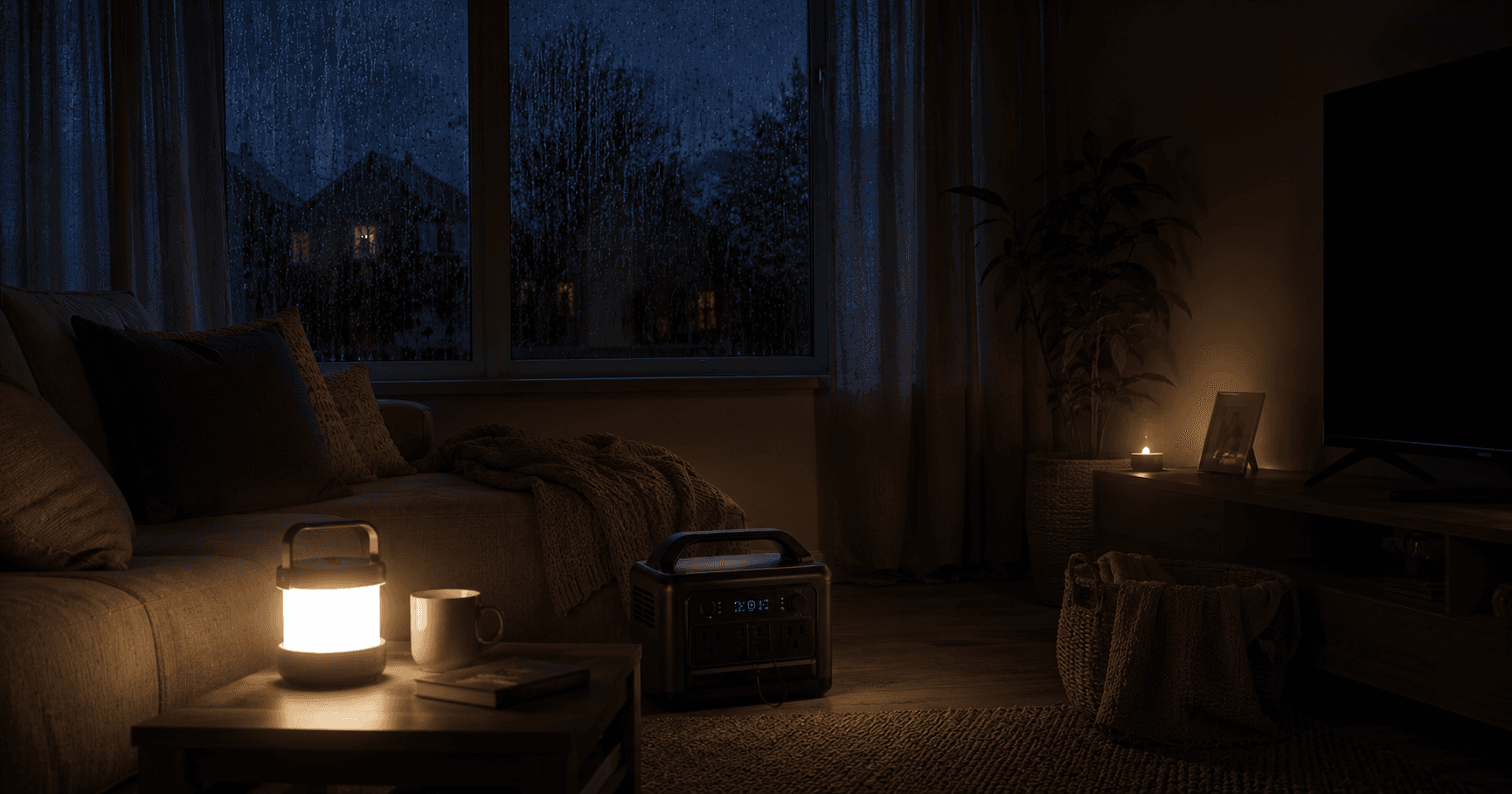
Why power outages matter for CPAP users
When the power goes out at 2 AM, most people just roll over and wait for it to come back. But if you depend on a CPAP for sleep apnea therapy, a power outage means your treatment stops immediately. Your airway loses positive pressure, apnea events return, and your sleep quality collapses.
This isn't a minor inconvenience. The American Academy of Sleep Medicine estimates that untreated obstructive sleep apnea can cause oxygen desaturation events dozens of times per hour. Even one night without therapy leaves you groggy, irritable, and at higher risk for accidents the next day.
Storms, grid failures, rolling blackouts, planned maintenance shutoffs, and even tripped breakers can interrupt your therapy. According to the U.S. Energy Information Administration, the average American experiences about 7 hours of power interruptions per year, and that number is rising. If you live in an area prone to severe weather, ice storms, hurricanes, or wildfires, outages can last days or even weeks.
Having a backup plan isn't optional. It's a medical necessity. The good news: the right gear costs less than you might think, and setting it up takes about 15 minutes.
Immediate steps when your CPAP loses power
If the power just went out and you weren't prepared, here's what to do right now:
- Don't panic. One night without CPAP won't cause permanent damage. You'll sleep poorly, but you'll be fine.
- Switch to your backup battery if you have one. Unplug your CPAP from the wall, plug it into the battery, and press start.
- Turn off the heated humidifier and heated tube. These features roughly double your CPAP's power draw. Turning them off stretches your battery runtime from 4 hours to 8 or more.
- Sleep on your side. Side sleeping naturally keeps your airway more open than back sleeping. This won't replace CPAP therapy, but it reduces the severity of apnea events.
- Elevate your head. Use an extra pillow or raise the head of your bed. A 30 to 45 degree incline helps gravity keep your airway open.
- Check your phone. Most utility companies have outage maps and estimated restoration times. Knowing whether you're looking at 30 minutes or 12 hours helps you decide your next move.
If you don't have a backup battery yet, the rest of this guide will help you choose one so you're never caught off guard again.
Option 1: Dedicated CPAP battery (manual switch)
The simplest approach: keep a charged CPAP battery next to your bed. When the power goes out, unplug from the wall, plug into the battery, and go back to sleep.
Recommended setup:
- Battery: EcoFlow RIVER 2 (256 Wh) or Anker SOLIX C300 (288 Wh). See our best CPAP backup batteries guide for full reviews.
- Position: On your nightstand or under the bed within cable reach
- Routine: Charge once a week (or after each use)
Pros: Simple, affordable, portable. Doubles as a camping or travel battery. Cons: Requires you to wake up and manually switch over. If you're a deep sleeper, you might not notice the power went out until morning.
A manual-switch battery costs between $150 and $300 and gives you peace of mind for years. Most lithium batteries hold their charge for months, so even if you only use it once or twice a year, it'll be ready when you need it.
Option 2: UPS automatic failover
Some portable power stations have a UPS (uninterruptible power supply) mode. You plug the power station into the wall, plug your CPAP into the power station, and if wall power drops, the battery kicks in automatically, often without waking you.
This is the setup we recommend for most people. It removes the biggest risk of a manual battery: sleeping through the outage. For a deeper comparison, check our UPS vs. CPAP battery vs. power station guide.
Best UPS-capable options for CPAP:
- EcoFlow RIVER 2. 256 Wh, built-in UPS/EPS mode, LiFePO4 chemistry (3,000+ cycle lifespan). EcoFlow rates its switchover at about 30 ms, a bit slower than the 20 ms-or-less we look for, so test it with your machine. This is our top pick for single-night outage protection.
- EcoFlow DELTA 3. 1,024 Wh LiFePO4, UPS switchover under 10 ms per EcoFlow, handles multi-night outages with ease. Overkill for a quick blackout, but perfect if you live in hurricane or ice storm territory.
- APC Smart-UPS. Traditional IT UPS, pure sine wave models work with CPAP. Heavier and less portable than a power station, but reliable and widely available.
Key requirement: The UPS must output a pure sine wave. Modified sine wave inverters can damage CPAP machines or cause them to malfunction. Always verify this spec before buying.


How UPS failover works
Here's the technical process that happens in milliseconds:
- Wall power feeds through the UPS to your CPAP normally.
- The UPS continuously monitors the incoming AC power.
- When voltage drops below a threshold (typically 80V), the UPS detects the outage.
- The internal inverter switches on and pulls from the battery, typically within 10 to 20 ms on a good unit.
- Your CPAP either keeps running or restarts, depending on the machine.
Look for a switchover of about 20 ms or less. Even then, CPAP manufacturers don't publish how long their machines ride through a power gap, and many CPAPs restart after any interruption, so test yours: with the CPAP running on the UPS, unplug the UPS from the wall and watch whether therapy continues. If your machine restarts, make sure auto-start (SmartStart on ResMed) is on or that you'll wake to the alarm.
Setting up your UPS for CPAP
- Place the UPS on your nightstand or bedside table.
- Plug the UPS into a wall outlet.
- Plug your CPAP's AC power adapter into the UPS outlet.
- Enable UPS mode in the unit's settings (check your manual, as this is sometimes off by default).
- Run a test: start your CPAP, then unplug the UPS from the wall. Ideally you hear a brief click and airflow continues; if your CPAP restarts instead, confirm it resumes therapy on its own.
- Keep the UPS plugged in every night. It trickle-charges automatically and stays ready.
Option 3: DC battery with always-ready connection
If your CPAP supports DC input, you can keep a DC battery connected and ready at all times. Some purpose-built CPAP batteries (like the Medistrom Pilot-24 Lite) can act as pass-through power. Wall power charges the battery while powering the CPAP, and if wall power drops, the battery takes over seamlessly.
DC connections are more efficient than AC because they skip the inverter conversion step. A CPAP running on DC draws roughly 15 to 20 watts, while the same machine on AC (through an inverter) draws 25 to 35 watts due to conversion losses. That efficiency gap means 30% to 40% longer runtime from the same battery.
Pros: Seamless transition, DC-efficient, no inverter noise, no fan humming at night. Cons: Limited to compatible CPAP models, battery stays tethered to your setup, and purpose-built CPAP batteries tend to cost more per watt-hour than general-purpose power stations.
Battery backup sizing for 8-hour outages
The most common question we get: "What size battery do I need for a full night?" Here's how to figure it out.
Step 1: Find your CPAP's power draw
Check the label on your CPAP's power supply or look up your model's specs. Here are common numbers:
| CPAP Model | AC Power Draw (no humidifier) | AC Power Draw (with humidifier) | DC Power Draw (no humidifier) |
|---|---|---|---|
| ResMed AirSense 11 | 24 W | 53 W | 15 W |
| DreamStation 2 | 25 W | 55 W | 16 W |
| ResMed AirMini | 18 W | N/A | 11 W |
| Luna G3 | 22 W | 48 W | 14 W |
Step 2: Calculate watt-hours needed
Multiply your power draw by the number of hours you want to run:
Watt-hours = Power draw (W) x Hours of runtime
For a full 8-hour night with a ResMed AirSense 11 (no humidifier, AC power):
- 24 W x 8 hours = 192 Wh
Step 3: Add a 20% buffer
Batteries don't deliver 100% of their rated capacity. Temperature, age, and inverter losses all reduce effective output. Add 20% to your calculation:
- 192 Wh x 1.2 = 230 Wh
Step 4: Match to a battery
| Scenario | Recommended backup | Battery size (25 W CPAP) |
|---|---|---|
| Brief outage (1 to 3 hrs) | 3 hours | 75 to 100 Wh |
| Full night outage | 8 hours | 200 to 300 Wh |
| Extended outage (2 nights) | 16 hours | 400 to 500 Wh |
| Multi-day outage | 24+ hours | 700+ Wh or solar charging |
For most people, a 250–300 Wh battery like the EcoFlow RIVER 2 or Anker SOLIX C300 provides a comfortable full-night buffer. If you want to keep the humidifier running, step up to the Jackery Explorer 500 v2 (512 Wh) or the EcoFlow DELTA 3 (1,024 Wh).
Use our CPAP battery sizing guide for the full calculation with your specific machine.
Generator as a last resort
If you're facing a multi-day outage and your batteries are running low, a portable generator can keep your CPAP running indefinitely. But generators come with important caveats.
When a generator makes sense
- Extended outages lasting 3+ days (hurricane aftermath, ice storms, wildfire shutoffs)
- You have other critical loads to power (refrigerator, medical equipment, sump pump)
- Solar charging isn't practical (cloudy climate, winter, no outdoor space)
What to look for in a CPAP-friendly generator
- Inverter generator. Standard generators produce dirty power with voltage spikes that can damage sensitive electronics like CPAPs. An inverter generator produces clean, stable power similar to wall outlet quality.
- Pure sine wave output. Just like with UPS units, this is non-negotiable for CPAP machines.
- Low noise. You're going to run this thing at night while you sleep. Look for models rated under 55 dB, which is roughly the volume of a normal conversation.
- Small size. A CPAP draws 25 to 55 watts. You don't need a 3,000 watt generator. A compact 1,000 watt inverter generator is more than enough and uses less fuel.
Generator safety rules
- Never run a generator indoors. Carbon monoxide poisoning kills hundreds of people every year during power outages. Place the generator at least 20 feet from your home, away from windows and doors.
- Use a long, heavy-duty extension cord (12-gauge minimum) to reach from the generator to your bedroom.
- Install a battery-powered carbon monoxide detector in your bedroom as a safety backup.
- Don't refuel while running. Shut the generator off, let it cool for 5 minutes, then refuel.
A generator is the heaviest and most expensive backup option, but it's the only one that provides truly unlimited runtime. For most CPAP users, a battery with solar charging capability is a better fit, but if you live in an area where week-long outages happen regularly, a generator is worth considering.
Power outage preparedness checklist
Don't wait until the power goes out to get organized. Run through this checklist now and you'll be ready for anything.
Equipment prep
- Know your CPAP's wattage (check the power supply label)
- Choose a battery with enough Wh for your target outage duration
- Confirm the battery outputs pure sine wave AC (if using AC power)
- Buy a DC adapter cable for your CPAP model (extends battery life by 30% to 40%)
- Test the full setup: run your CPAP on battery for a full night
- Set a monthly reminder to check the battery's charge level
Bedside setup
- Keep the battery within arm's reach of your bed
- Have a flashlight or headlamp accessible (you'll need it to plug in the battery in the dark)
- Pre-connect cables so switching takes under 30 seconds
- Consider a battery with a built-in light (many power stations include one)
- Label your cables clearly so you can identify them by feel in the dark
Extended outage prep
- Own a 100 W portable solar panel if you live in an outage-prone area
- Store 2 to 3 nights worth of distilled water for your humidifier
- Keep an HME (heat moisture exchanger) filter as a humidifier alternative
- Save your utility company's outage reporting number in your phone
- Download your utility's app for real-time outage maps and restoration estimates
Medical documentation
- Keep a copy of your CPAP prescription in your go-bag
- Have your sleep doctor's contact information readily available
- If you have severe sleep apnea (AHI over 30), discuss emergency planning with your doctor
For a broader look at what happens when your CPAP loses power and how to stay safe, read our CPAP power loss safety guide.
Don't forget about humidity
Heated humidifiers and heated tubes roughly double your CPAP's power draw. In an outage, managing humidity is the single biggest lever you have for extending battery life.
- Turn off the humidifier to double your battery runtime. This is the first thing you should do when switching to battery power.
- Use an HME filter instead. It captures your exhaled moisture and returns it to the air you breathe. They cost about $2 to $5 each and last one to two weeks.
- Keep distilled water packets as a backup if you do run the humidifier on power station mode.
- Expect some dryness. Without humidification, you may wake up with a dry mouth or throat. Keep a glass of water on your nightstand and consider a chin strap if you're a mouth breather.
The tradeoff is straightforward: humidifier on gives you comfort but cuts runtime in half. Humidifier off gives you a full night of therapy on a smaller battery. For most power outage scenarios, turning it off is the right call.
What if the outage lasts days?
For extended outages (hurricane season, ice storms, wildfire power shutoffs), a single battery charge won't be enough. Here are your options for staying powered through multi-day events:
- Solar charging. A 100 W portable panel recharges roughly 300 Wh per day in direct sunlight. Pair it with your power station and you can run your CPAP indefinitely as long as you get 4 to 5 hours of sun. If you're buying for this scenario, our best solar generator for CPAP guide compares 2–4 kWh stations and panel bundles built for multi-day outages.
- Generator. Even a small 1,000 W inverter generator runs a CPAP indefinitely. Use it to recharge your battery during the day, then run the CPAP on battery at night for quiet operation.
- Vehicle power. Run your CPAP from a 12V car outlet with a DC adapter or pure sine wave inverter. Start the engine for 20 minutes every few hours to keep the car battery charged. Don't drain the starter battery completely.
- Multiple batteries. Rotate two smaller batteries, charging one while using the other. This works well if you have access to a neighbor's generator or a community charging station.
- Community resources. Many emergency shelters, hospitals, and fire stations offer charging stations during major outages. Call ahead to confirm availability.
Related guides
- UPS vs. CPAP Battery vs. Power Station: which backup approach fits your situation
- Best CPAP Backup Batteries: top-rated batteries for every scenario
- CPAP Power Loss Safety Guide: what happens medically when your CPAP stops
- CPAP Battery Sizing Guide: calculate your exact watt-hour needs
- CPAP Battery Compatibility Guide: match batteries to your CPAP model
- CPAP Camping Setup: off-grid gear list and solar tips
- CPAP Batteries 101: beginner's guide to CPAP backup power
FAQ
What should I do if my CPAP loses power at night?
Switch to your backup battery immediately. If you don't have one, prop yourself on your side to reduce airway collapse and try to sleep in an elevated position. Plan to get a battery backup before the next outage.
How long will a battery backup run my CPAP during a power outage?
A 250 Wh battery runs most CPAPs for 7 to 10 hours with the humidifier off. With the humidifier on, expect 3 to 5 hours. Exact runtime depends on your pressure setting and whether you use DC or AC power.
Can I use a UPS with my CPAP machine?
Yes. A UPS with a pure sine wave inverter works well and switches to battery power automatically. Look for a switchover of about 20 ms or less, such as the EcoFlow DELTA 3 (under 10 ms per EcoFlow). Many CPAPs restart after any interruption, so test yours by unplugging the UPS while the machine runs.
What size battery do I need for a full night without power?
For a full 8-hour night, you need 200 to 300 Wh with the humidifier off. If you keep the heated humidifier running, plan for 400 to 500 Wh. Always add a 20% buffer to your calculation.
Is it safe to sleep without CPAP during a power outage?
One night without CPAP won't cause permanent harm, but you'll likely experience apnea events, snoring, and poor sleep quality. If you have severe sleep apnea, sleeping on your side and elevating your head can reduce symptoms until power returns.
Can I run my CPAP from a car battery?
Yes, but you need a pure sine wave inverter or a 12V DC adapter for your specific CPAP model. Don't run your CPAP from the car's starter battery for more than a few hours without the engine running, or you'll drain it.
Related reading
- CPAP Power Outage Prep Guide — UPS, battery, or power station
- CPAP Power Loss Safety Guide — what happens medically when CPAP stops
- How Long Will a CPAP Battery Last During a Power Outage? — runtime math
- CPAP Hurricane Preparedness — multi-day outage planning
- Best Solar Generator for CPAP — 2–4 kWh stations and solar bundles
- UPS vs CPAP Battery vs Power Station — pick the right backup type
What to do next
Work the checklist above top to bottom this weekend. The gear is cheap compared to a bad night of untreated apnea, and the setup takes under an hour once the battery arrives.
- Pick your backup type from our UPS vs battery vs power station comparison
- Size it with our battery sizing guide
- Run a full-night test before storm season
Affiliate disclosure
This site may include affiliate links. If you buy through links, we may earn a commission at no extra cost to you.